
All your work.
Wefold is an app for mobile and desktop that brings together your entire business: clients, appointments, quotes, invoices, documents and team chats. It also includes an assistant you can write to or speak with just like a colleague. It finds information, drafts messages and reminds you of deadlines. We set everything up for you.
Leave your number. We will call you to arrange a meeting.
Available across the European Union
 Microsoft
 Claude
 Cloudflare
A true application for every device. Not a website.
Wefold is not a website you open in a browser. A dedicated, native application has been built for each system: for iPhone, iPad, Mac, Apple Watch, Android, and Windows. As a result, it is fast, delivers notifications, unlocks via facial recognition or fingerprint, includes widgets, and looks as though it were created by the device manufacturer itself.
A single application for the entire company, native on iPhone, iPad, Mac, Apple Watch, Android, and Windows. We have found no one else who offers this.
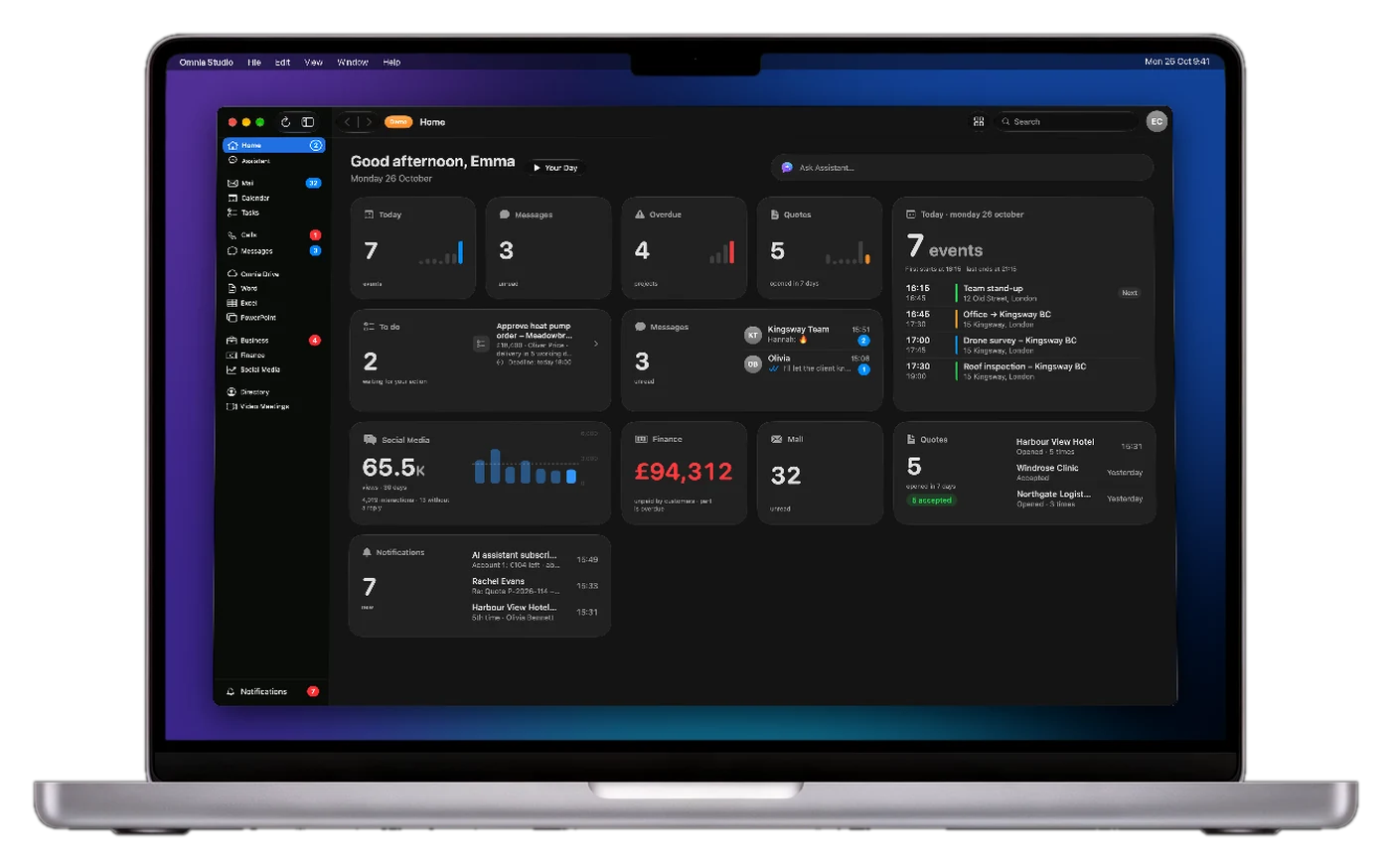
Mac
For desk work: everything on a large screen, with keyboard and mouse.
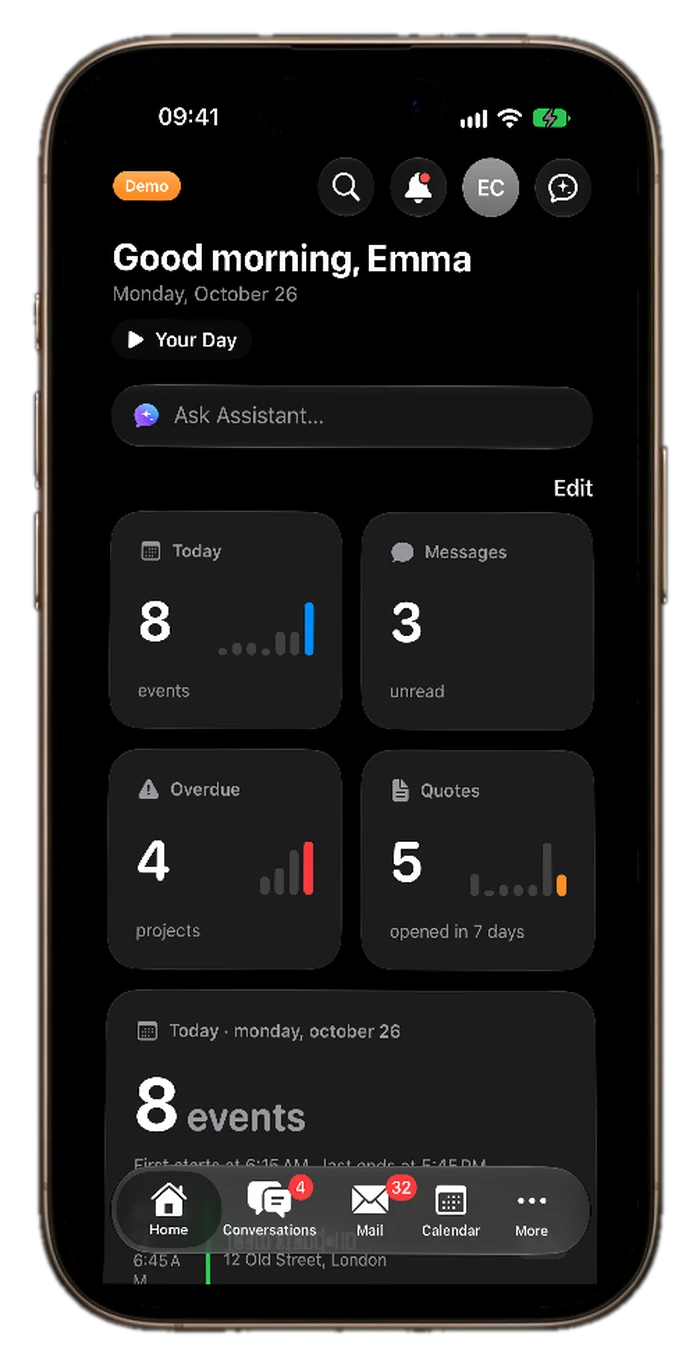
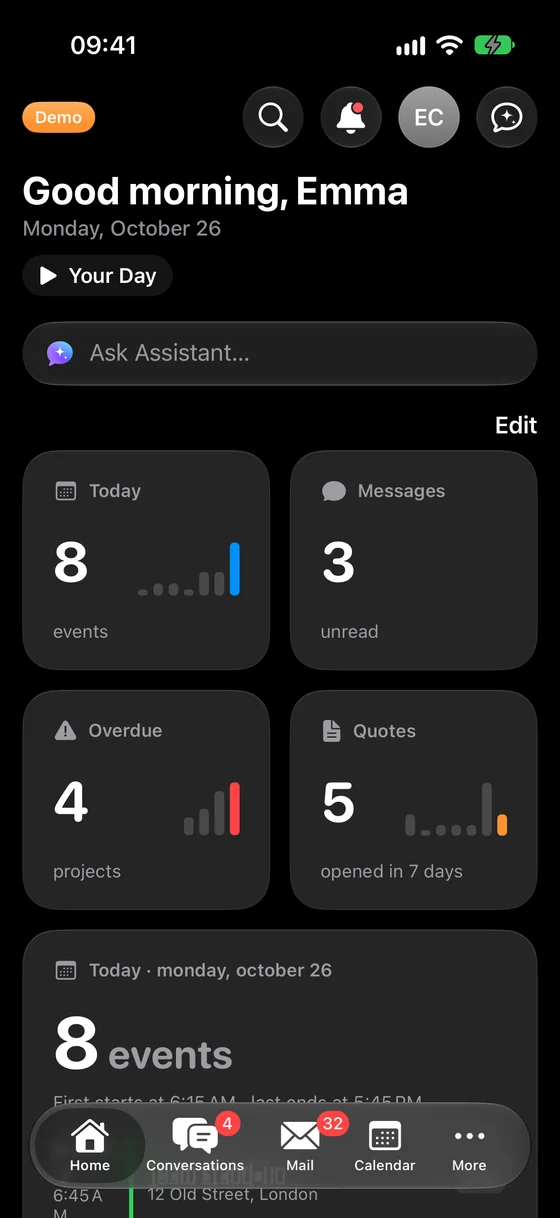
iPhone
Your entire business in your pocket. View today's appointments on your home screen without opening the app, and on your car display while driving.
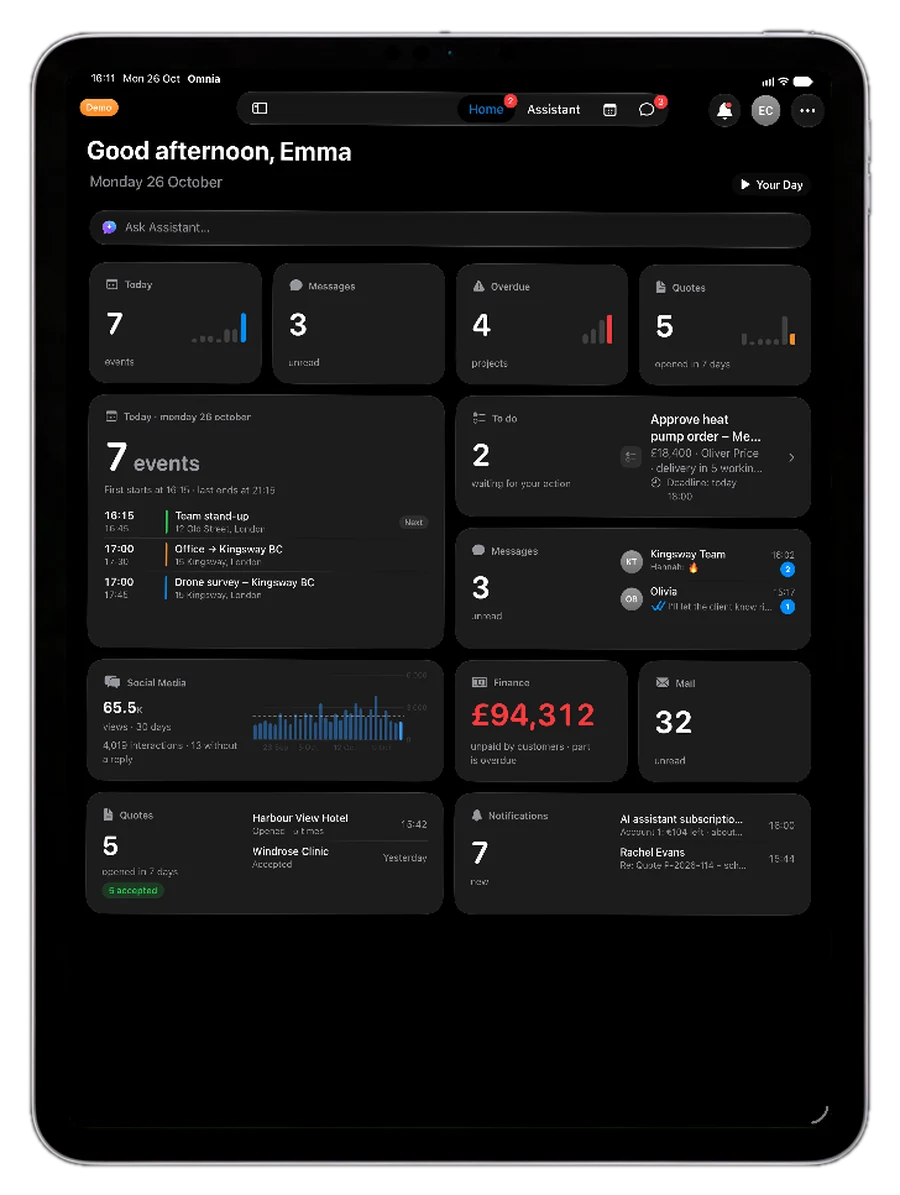
iPad
A large screen for your daily overview, calendar and meetings.
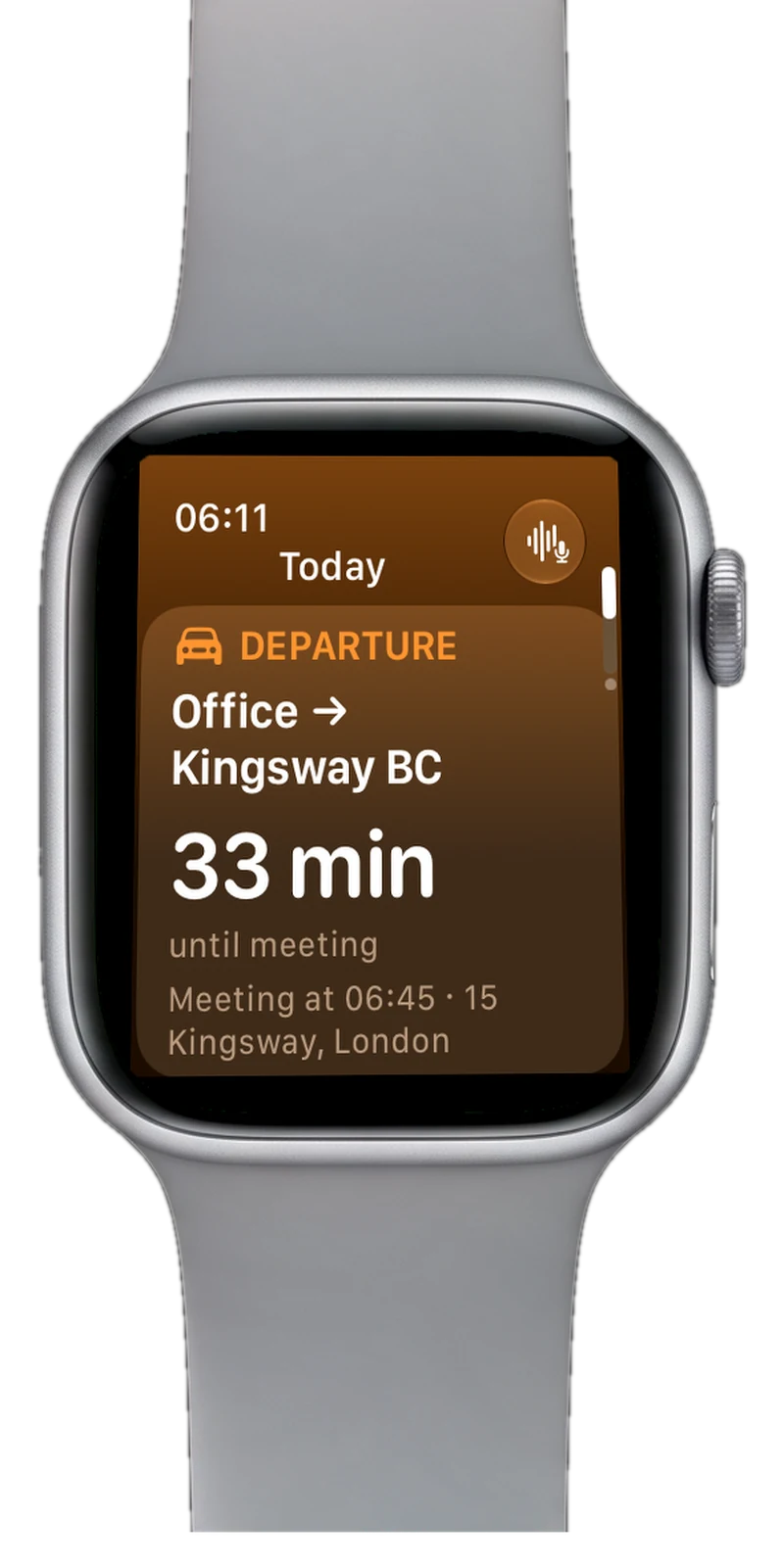
Apple Watch
On your smartwatch: departure alerts, today's appointments and tasks, all at a glance on your wrist.
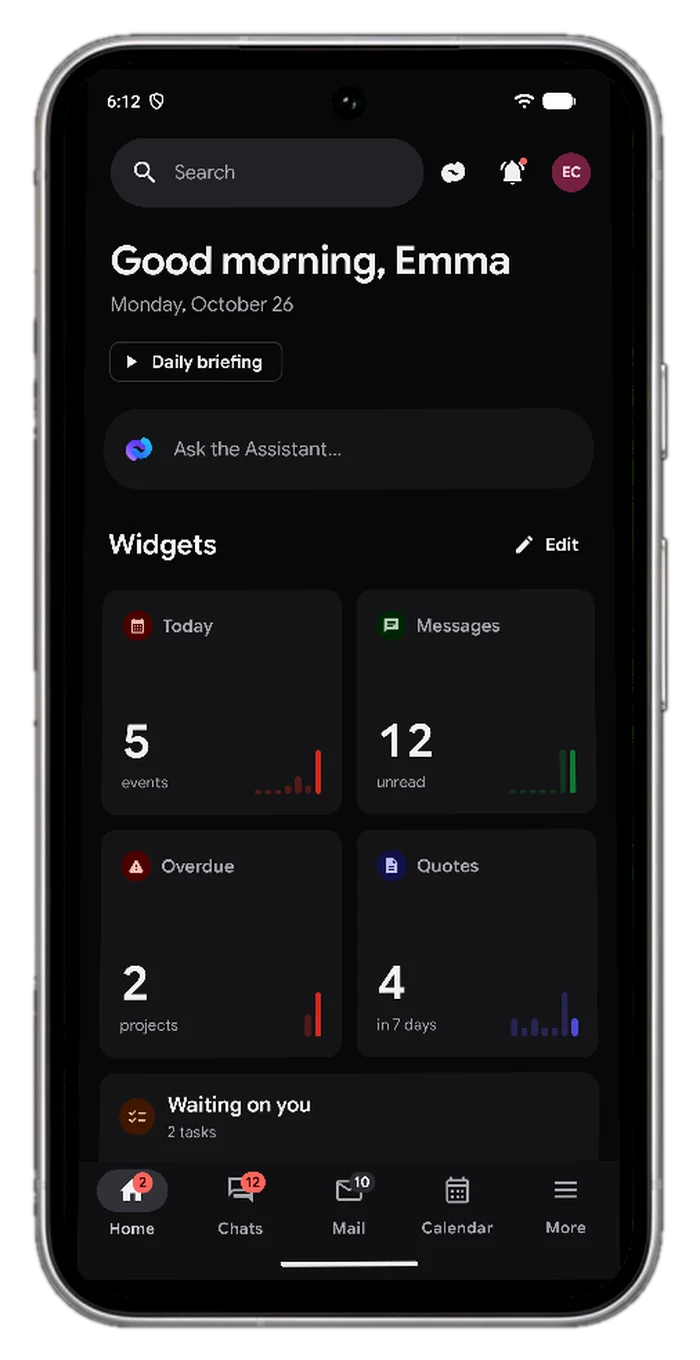
Android phone
The same experience as on iPhone: appointments, messages, calls and the assistant, on any Android phone.
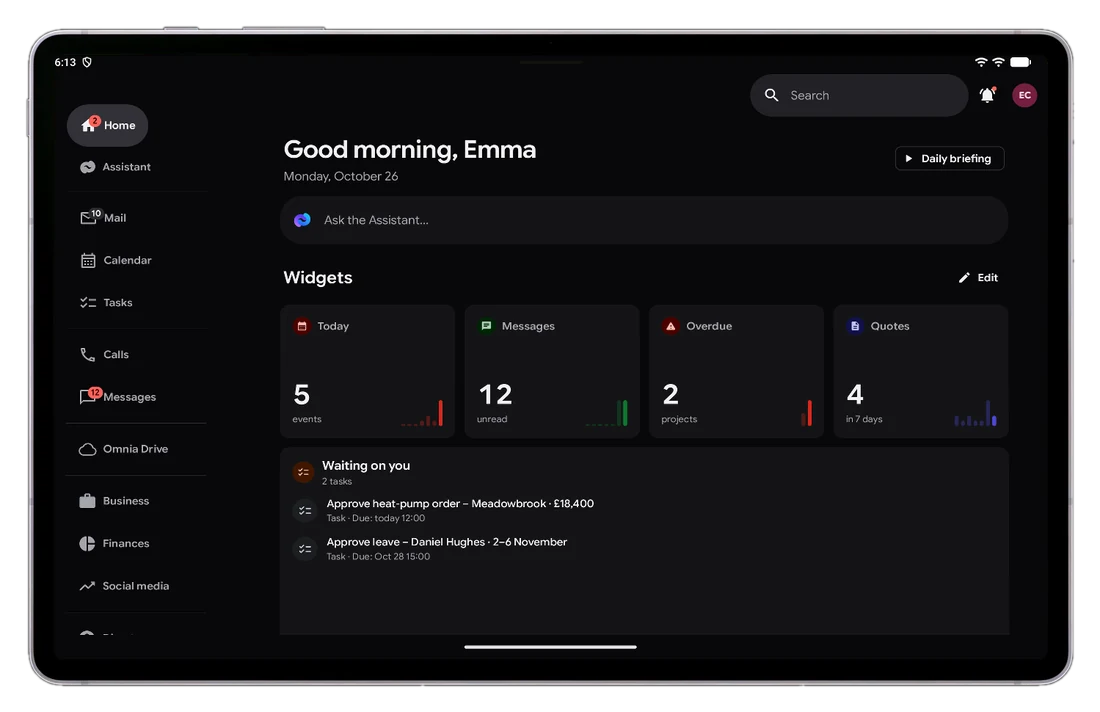
Android tablet
A large screen for your daily overview, calendar and meetings, on Android tablets.
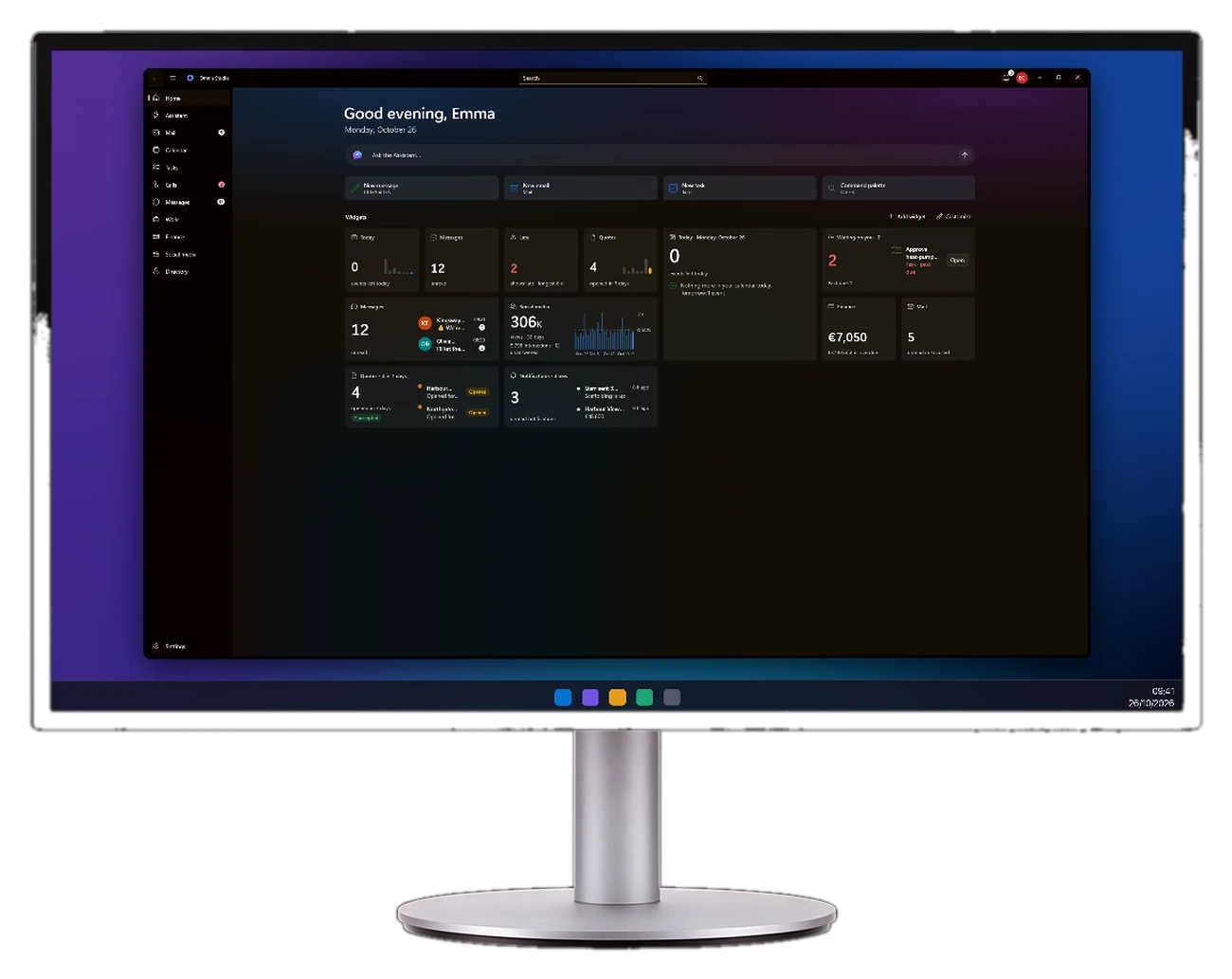
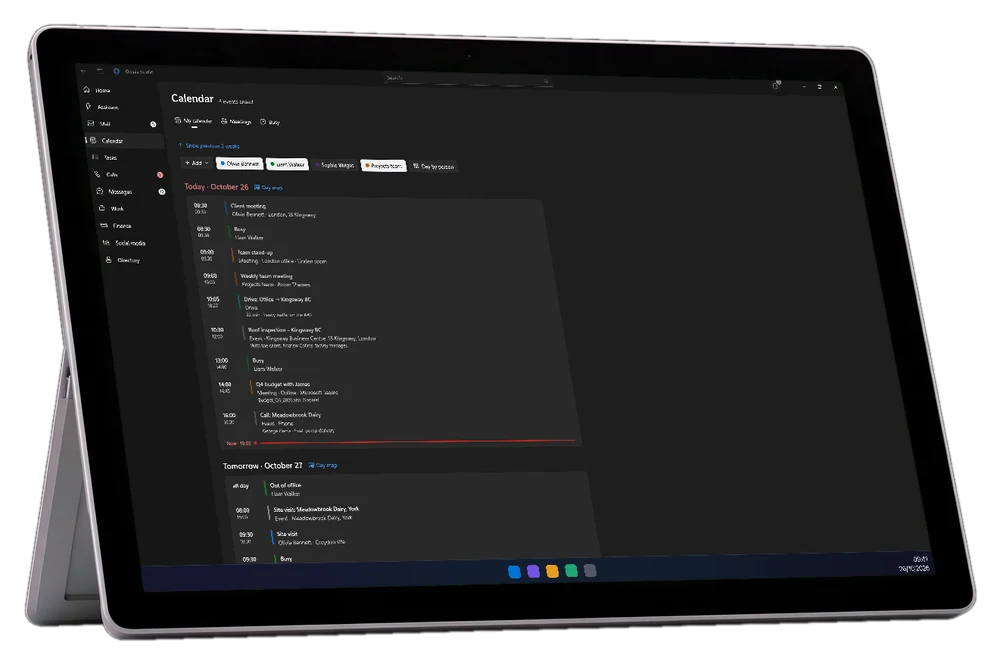
Windows PC and tablet
Two versions in a single application: for desktop use with a keyboard and mouse, and for a Windows tablet (e.g., Surface), optimized for touch with larger buttons.
We did not build it to sell. We built it for ourselves.
Wefold runs our company, Digital Media Group from Opatija, every day: appointments, jobs, quotes and social posts. What we offer you, we first tested on ourselves. Now we set up the same for other businesses.
Everything your company does, in a single application
Installs on mobile devices, tablets, and computers, just like any other application. You enter information once, and everyone on the team who needs it can see it.
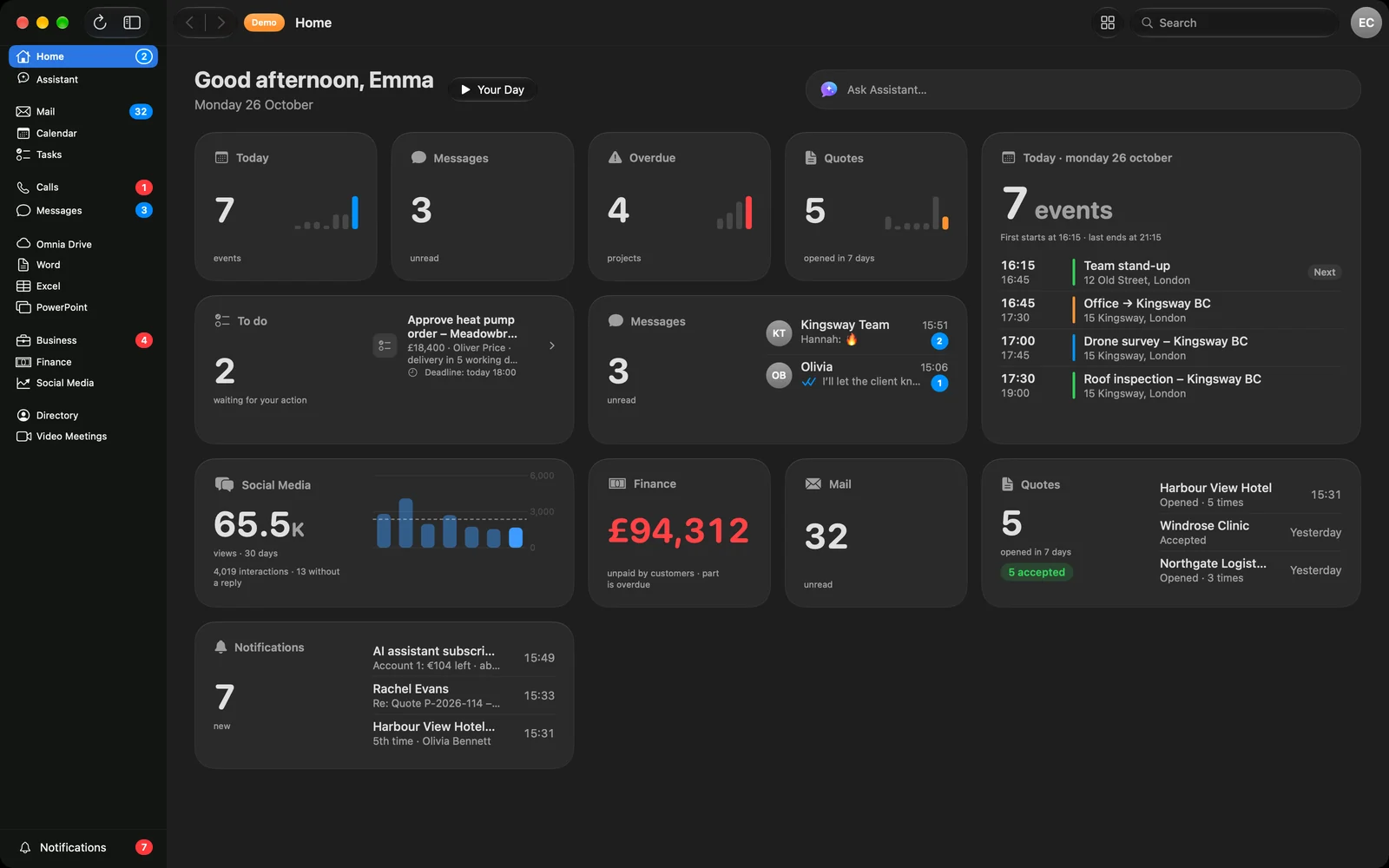
The entire day on a single screen
The Home screen displays what is important today, with charts that can be read at a glance.
- Tailored widgets: schedule, messages, mail, proposals, overdue items, finances, and social networks. You arrange, resize, and hide them yourself.
- A single number and a single chart instead of a list of figures, allowing you to immediately see what is growing and what is delayed.
- Ask the Assistant directly from the Home screen.
- Voice overview of the day: the application reads your schedule while you drive.
An Assistant that knows your company
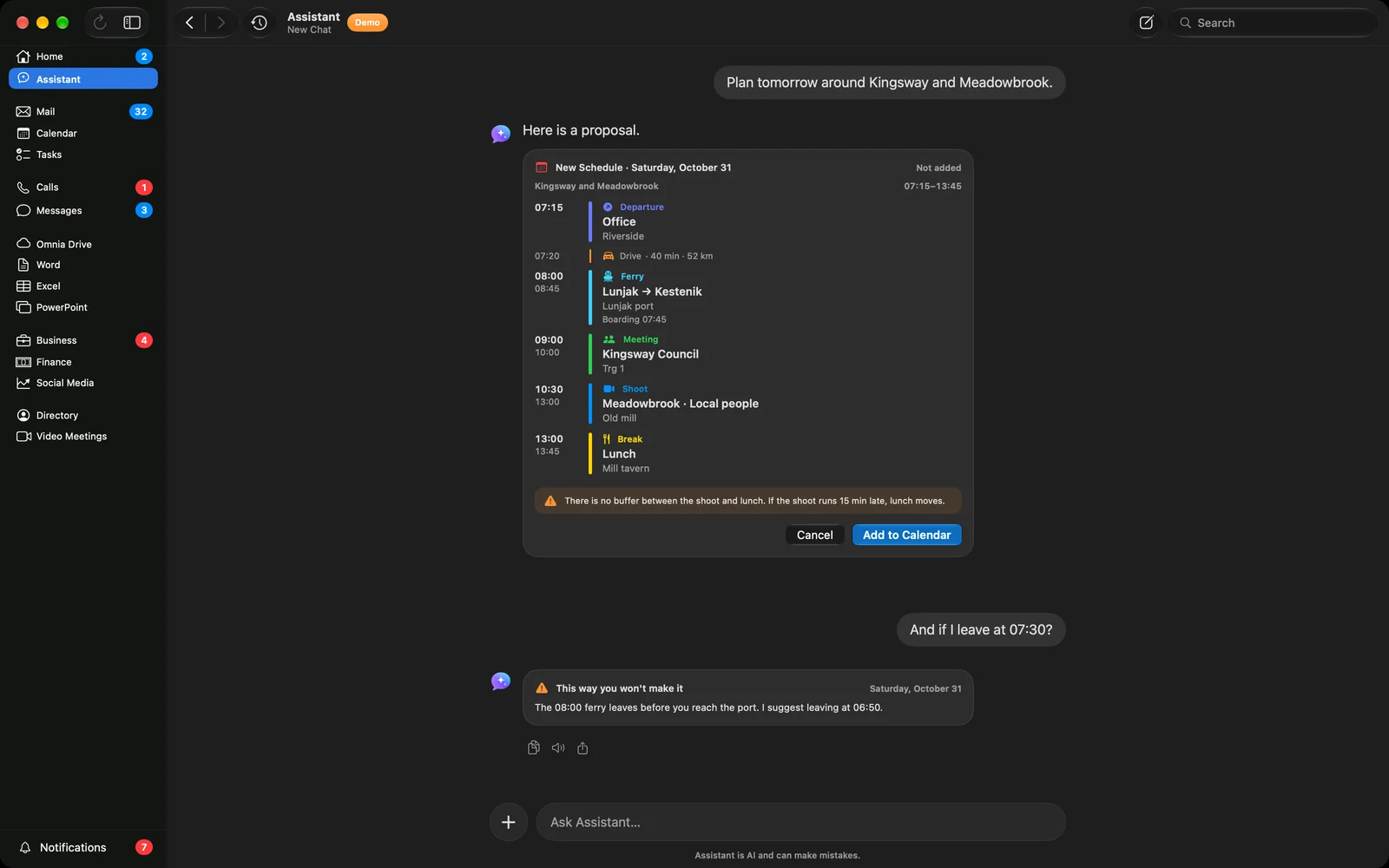
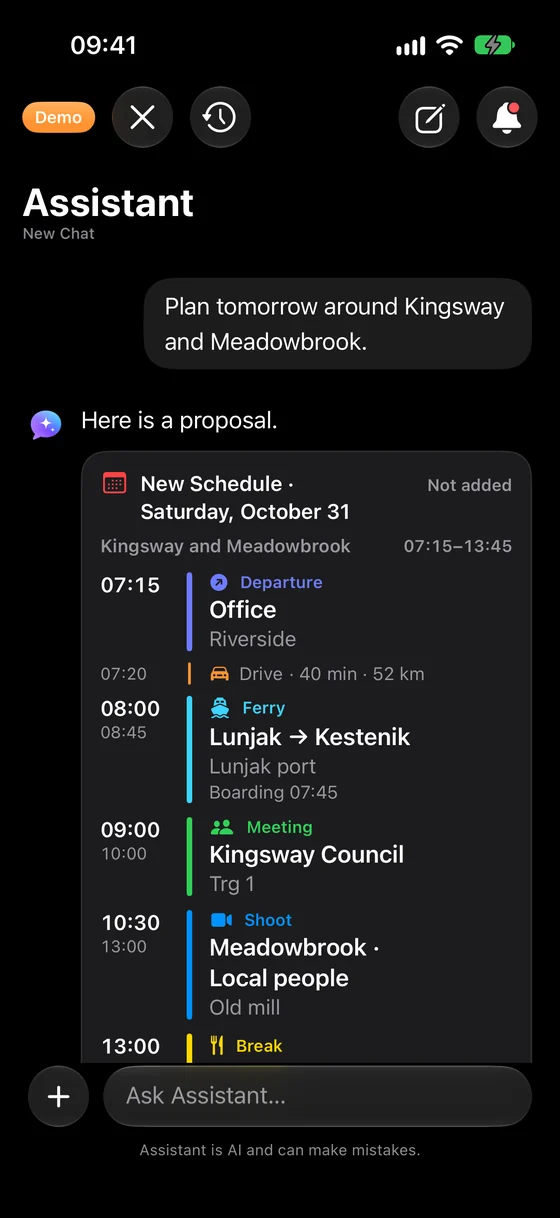
The Assistant operates with artificial intelligence: it understands plain language and responds like a colleague. You write or speak to it, and it searches for answers within your company's data.
- Answers from your data: calendar, mail, clients, projects, and finances.
- Displays cards instead of a wall of text: daily schedule, ferry routes, meetings, contacts, projects, maps, and email or proposal drafts.
- Enters and sends on your behalf, but only once you tap "Confirm".
- Remembers the rules and habits of each individual, while each user sees only what they are authorized to access.
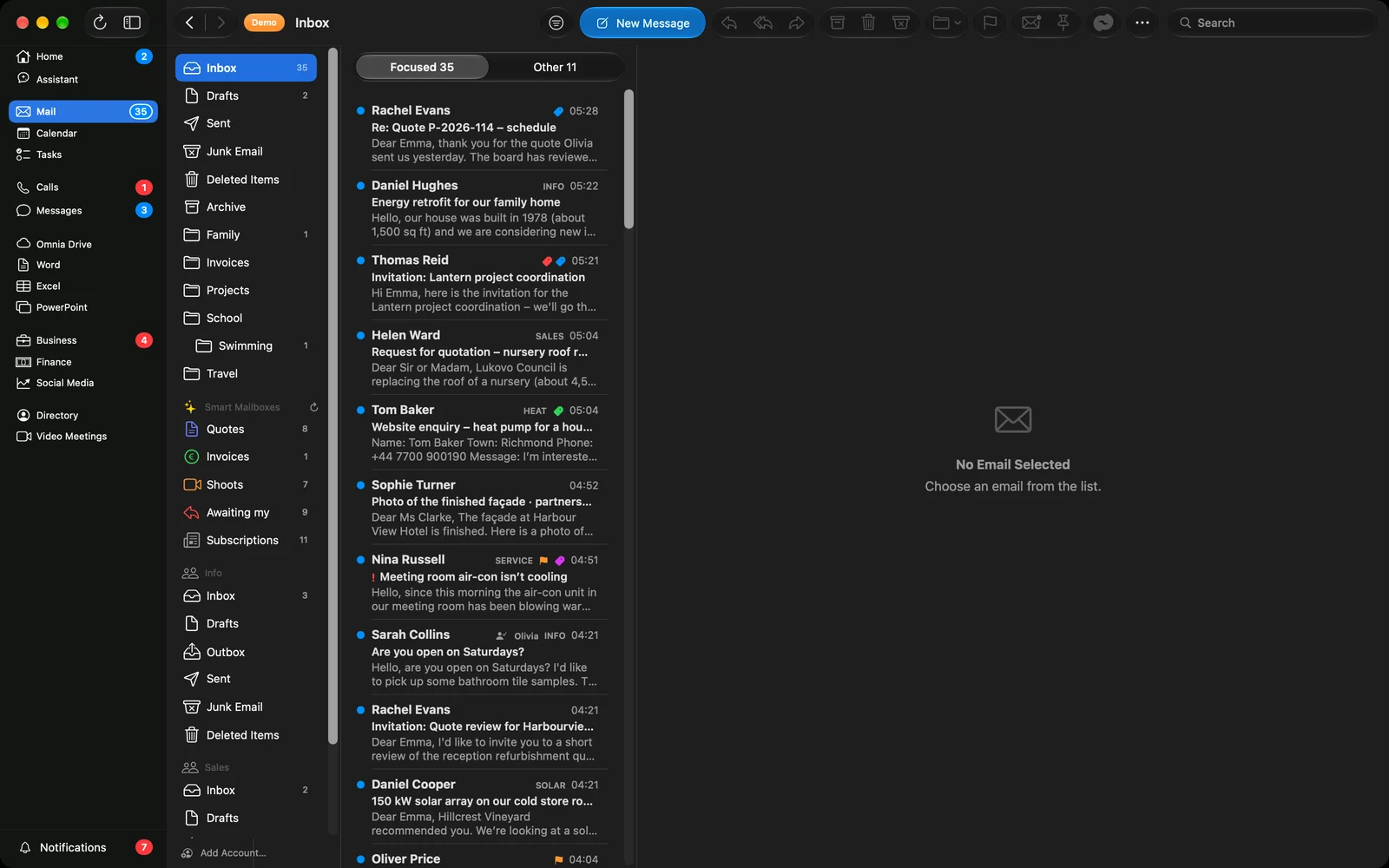
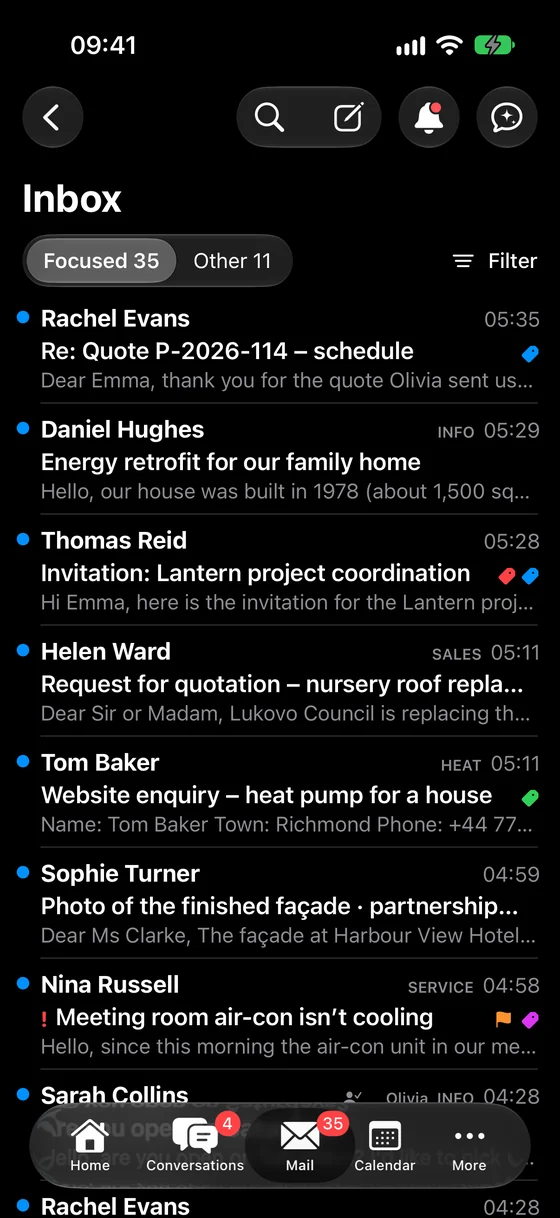
All mail in one place
Company mail and personal accounts together, organized so you see what is important first.
- All accounts in one application: company mail along with personal Gmail, iCloud, and other accounts.
- Smart inboxes automatically separate invoices, proposals, field activities, and subscriptions from everything else.
- Shared inboxes such as info@ and sales@, with a "Claim" button so two people do not respond to the same message.
- The Assistant summarizes messages and suggests replies, and you can also send emails later at a scheduled time.
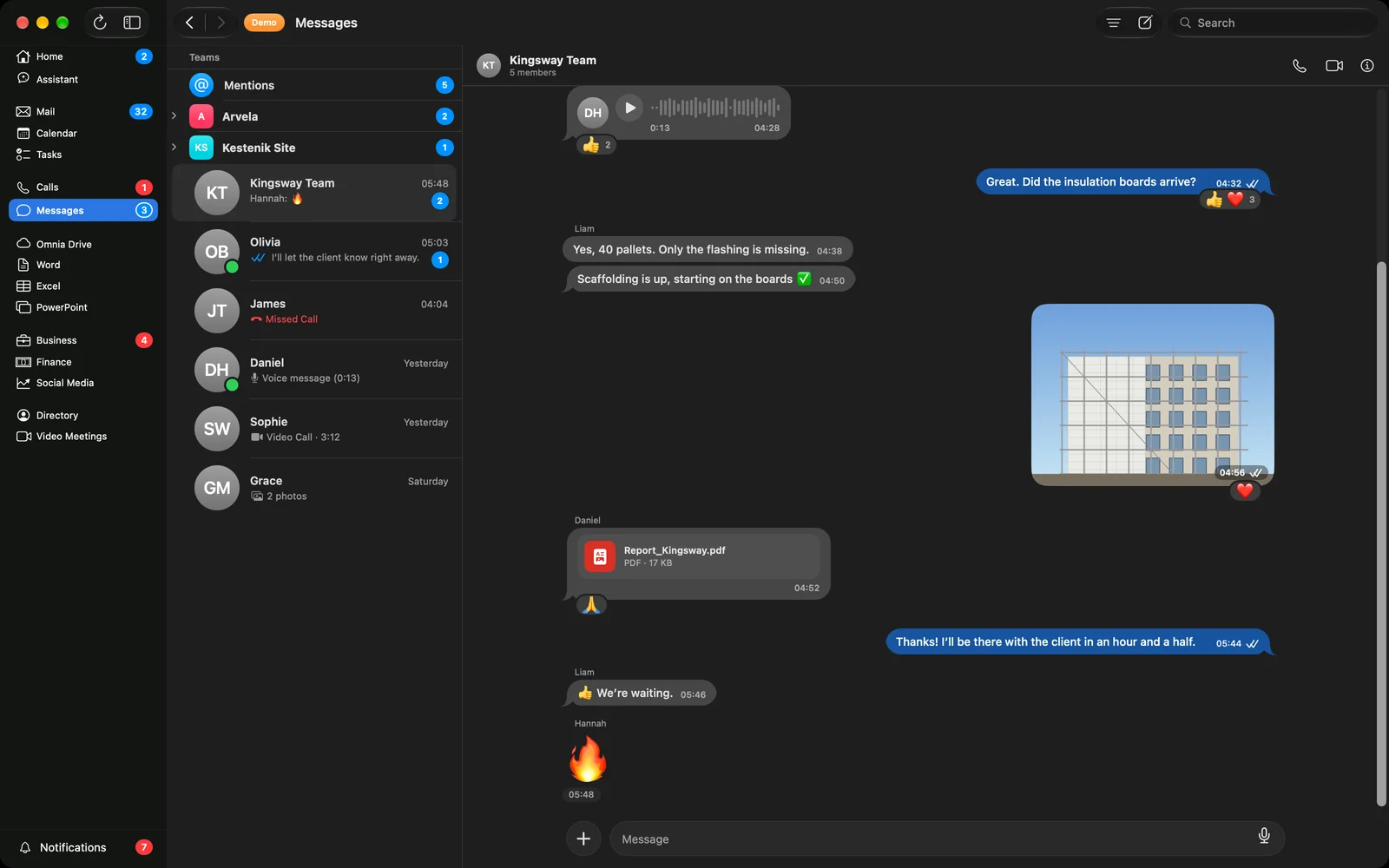
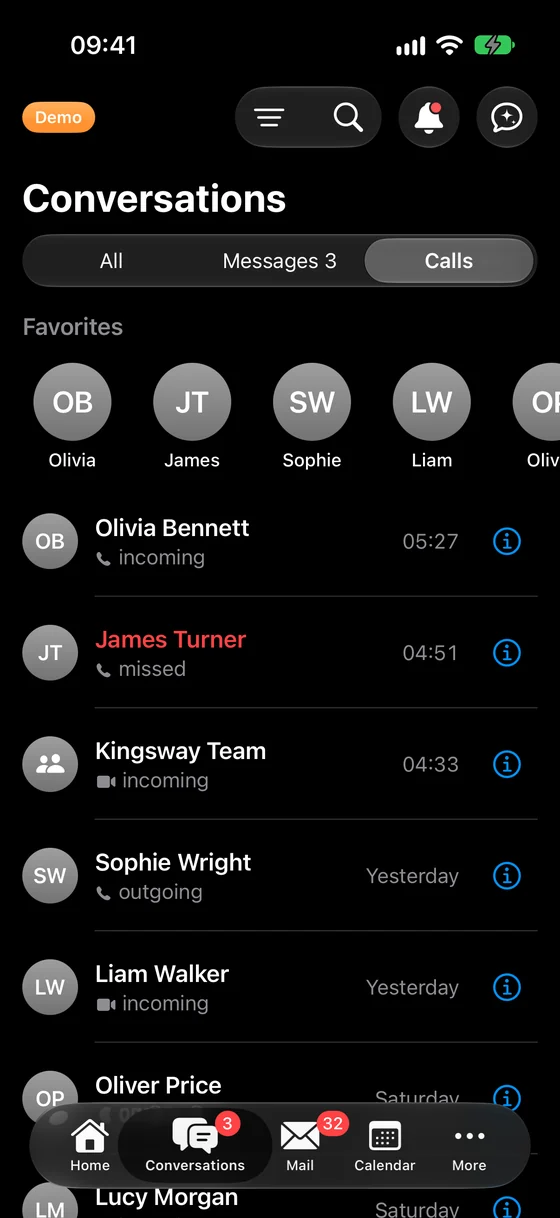
Messages, calls, and video meetings
The team communicates and calls within the application, replacing scattered emails and private messages.
- Conversations just like in messaging apps: groups, voice messages, reactions, replies, and "read" receipts.
- Voice and video calls between colleagues, without sharing private mobile phone numbers.
- Video meetings with a single tap from the calendar, followed by a transcript and summary after the meeting.
- Mobile notifications are received only by the person whom the message concerns.
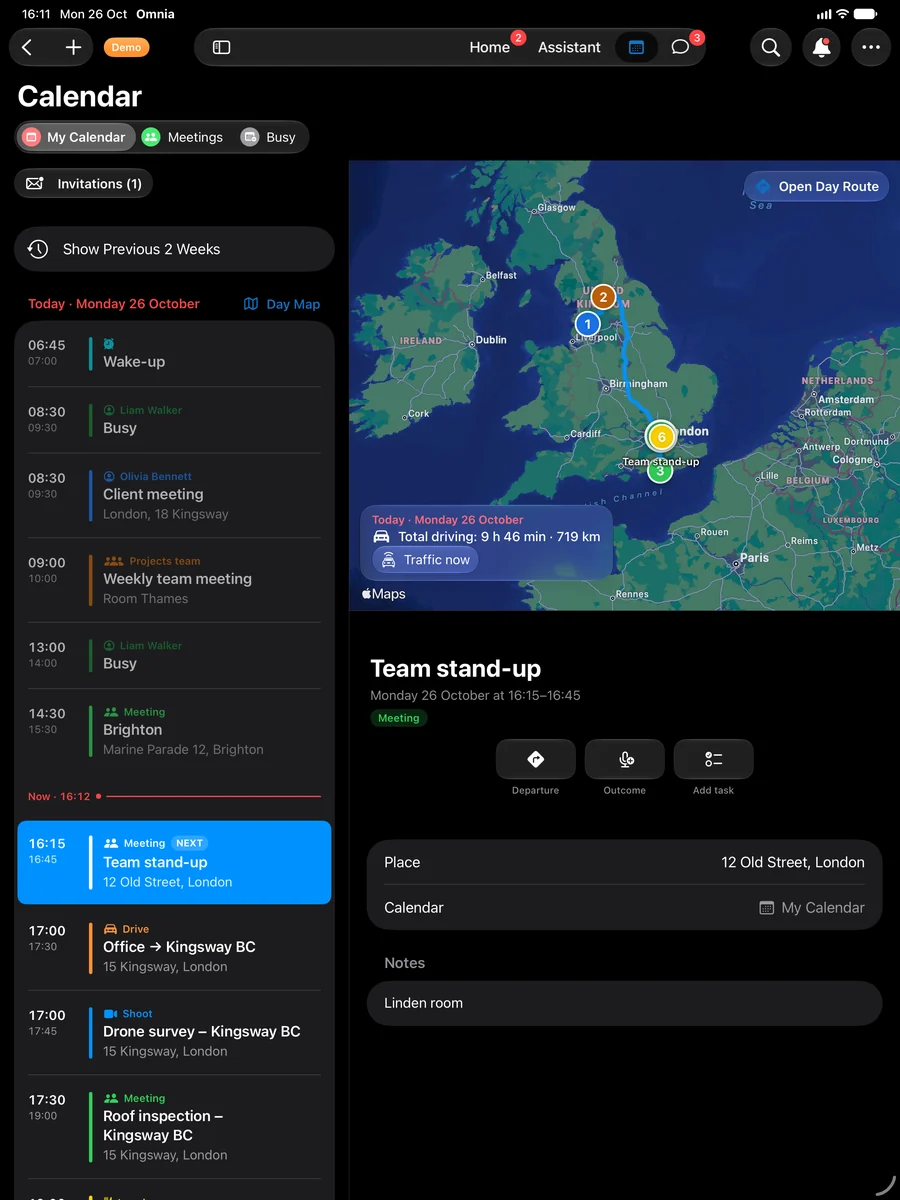
Calendar, map, and on-time departure
The company calendar and each employee's calendar synchronize automatically. Everyone sees their own schedule, and the manager sees everything.
- Field work, meetings, and team availability shown separately, with each person seeing their own.
- Map of the day: all of today's appointments on a map, with routes, driving times, and ferry schedules.
- Invitations are accepted or declined directly from mail and calendar.
- Time to depart: the application alerts you when you need to leave, both on your mobile phone and smartwatch.
Company tasks and files
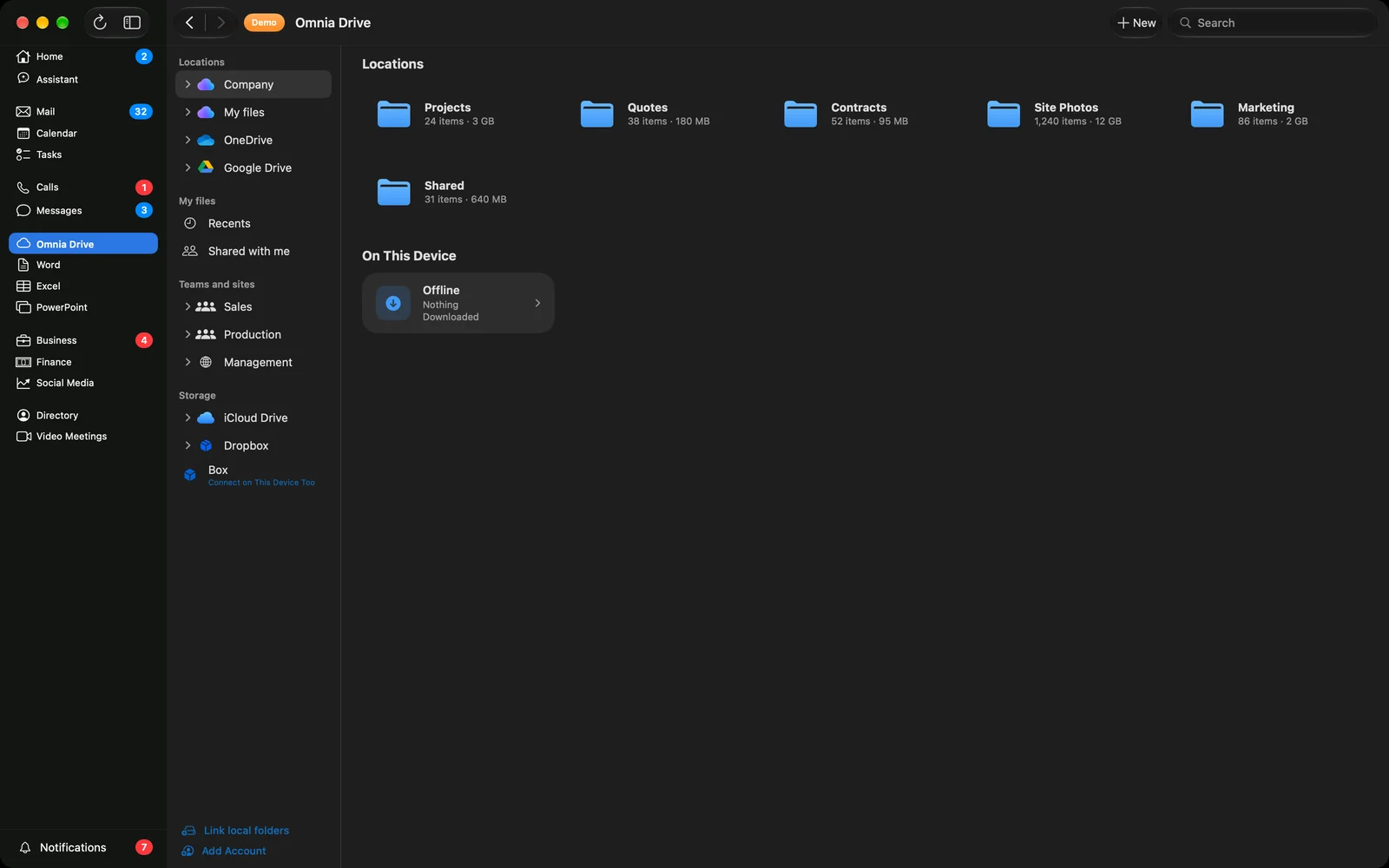
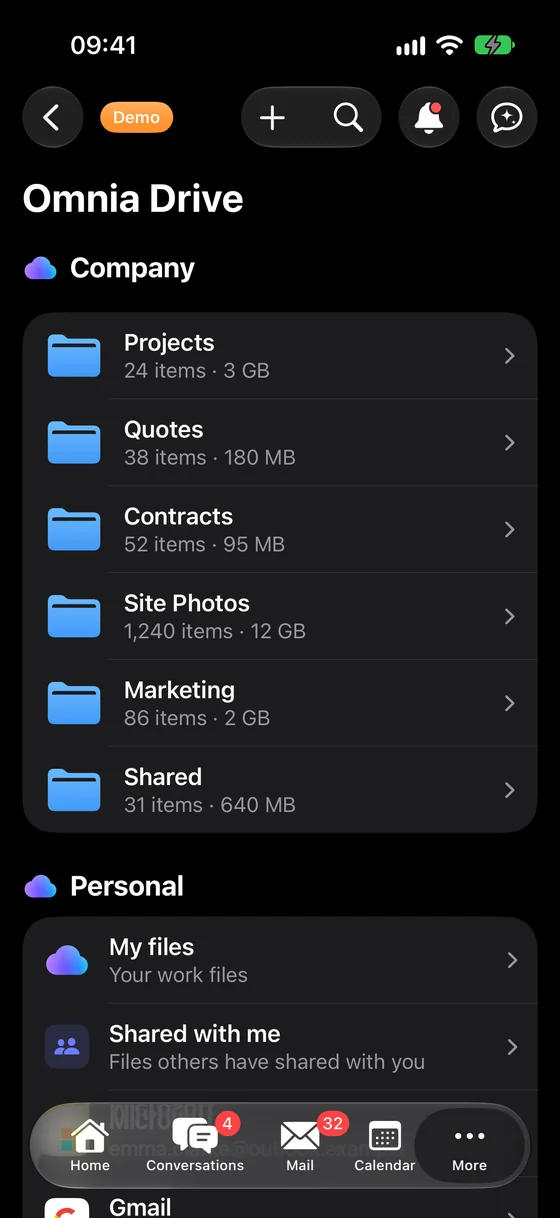
Who does what and by when, along with all company documents, on every device.
- Tasks with deadlines and assignees, lists, "My Day", and tasks directly from mail.
- Wefold Drive: company files, your files, and team folders in a single browser, alongside private drives such as Google Drive and iCloud Drive.
- Large files, including videos of several gigabytes, resume uploading after a connection interruption, and files remain accessible offline.
- New document, spreadsheet, or presentation with a single tap, with recent documents within reach.
Clients, proposals, and projects
Every client and every job in one place, with everything that has occurred so far.
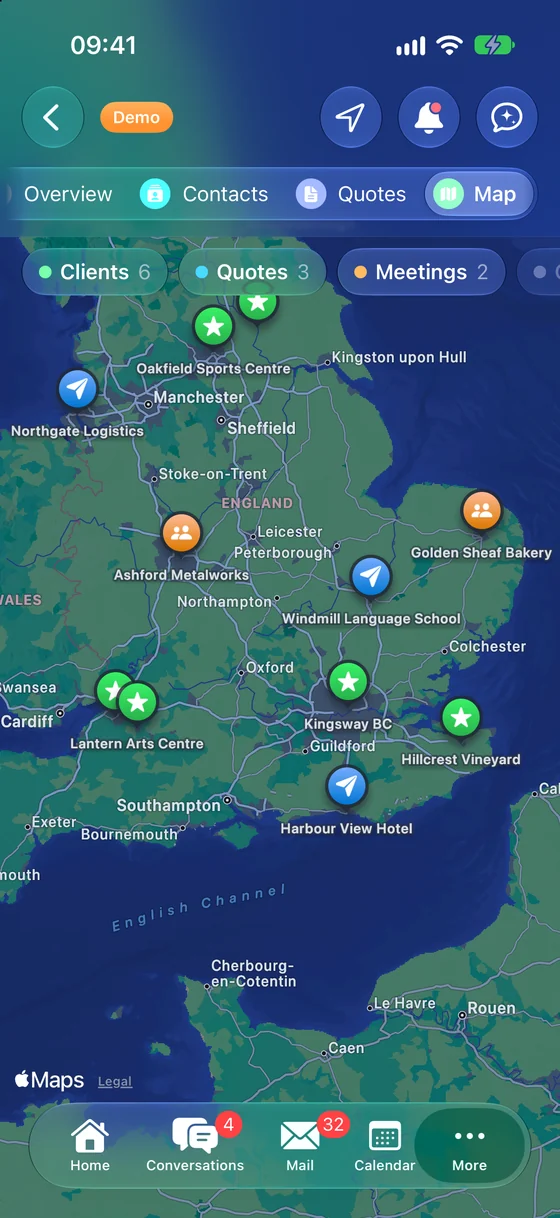
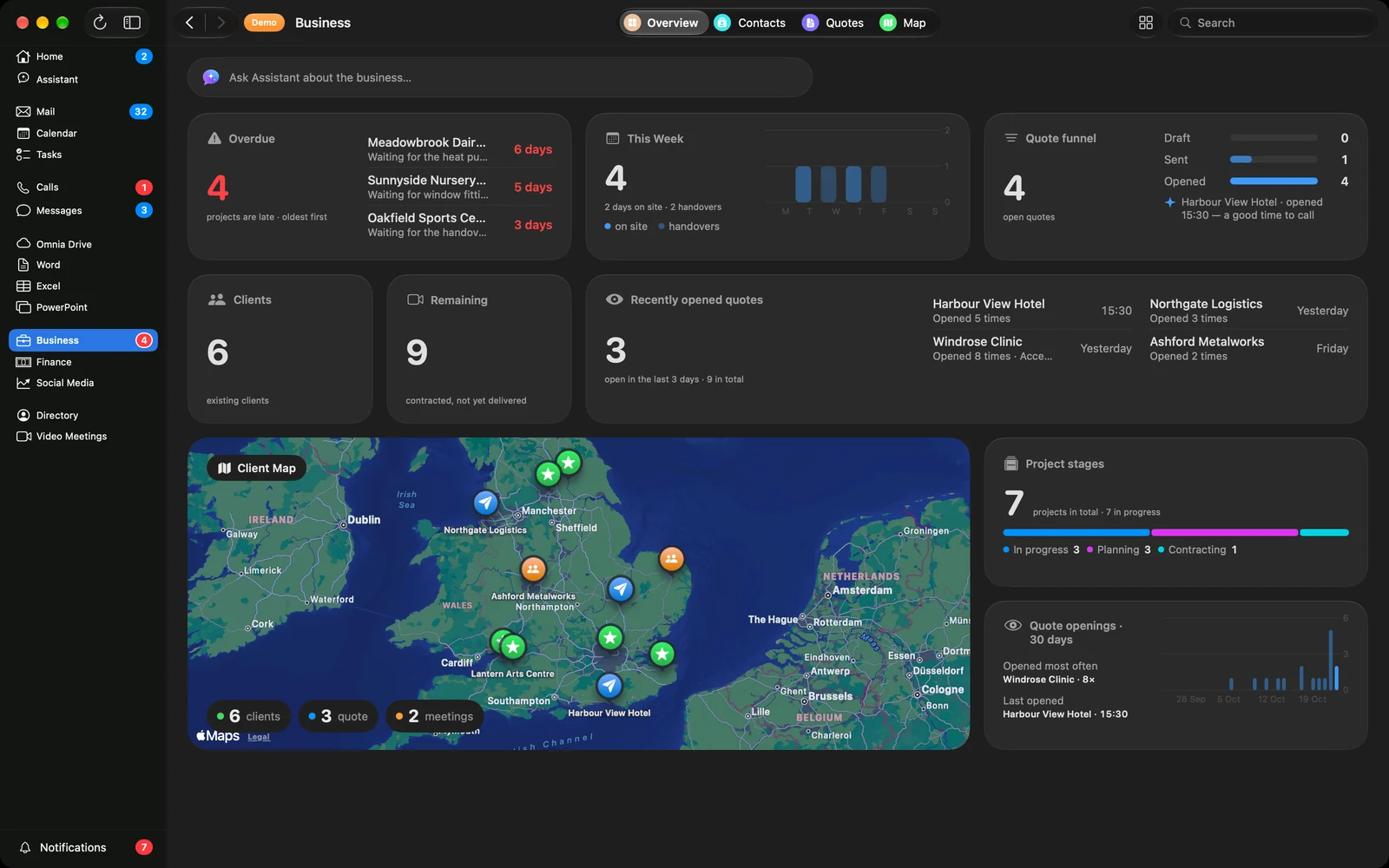
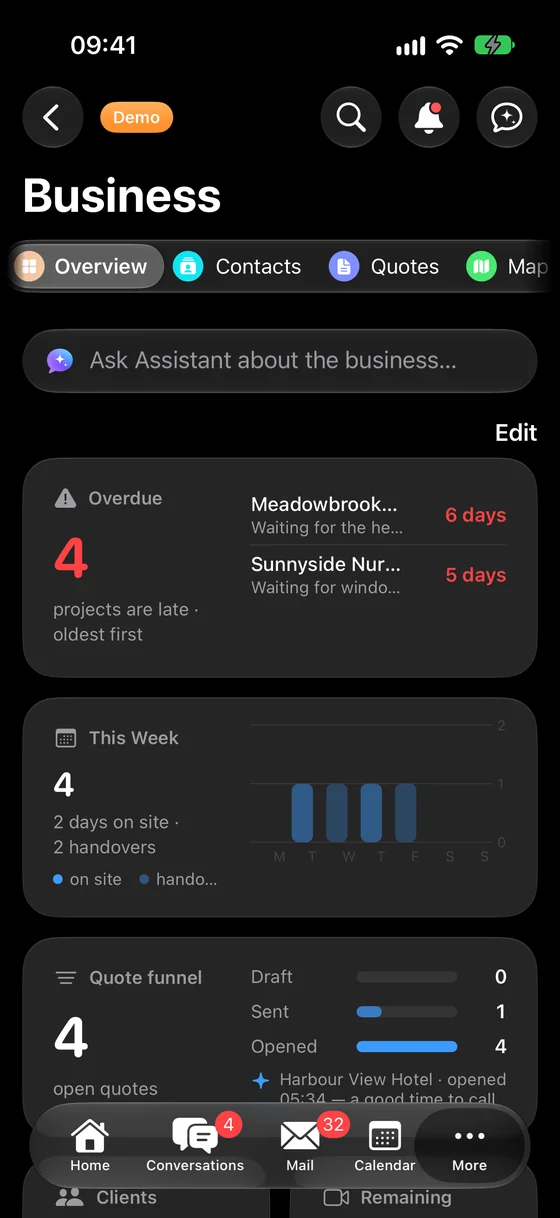
- Business overview: overdue items, this week's priorities, sales pipeline, clients, and client map.
- Proposals reach the client as a link. You know when they opened it and how many times, allowing you to call at the right moment.
- Projects through stages, from initial agreement to handover. If a delay occurs anywhere, it is visible on the same day.
- Everything about a client in one place: meetings, proposals, messages, and invoices.
Invoices, expenses, and finances
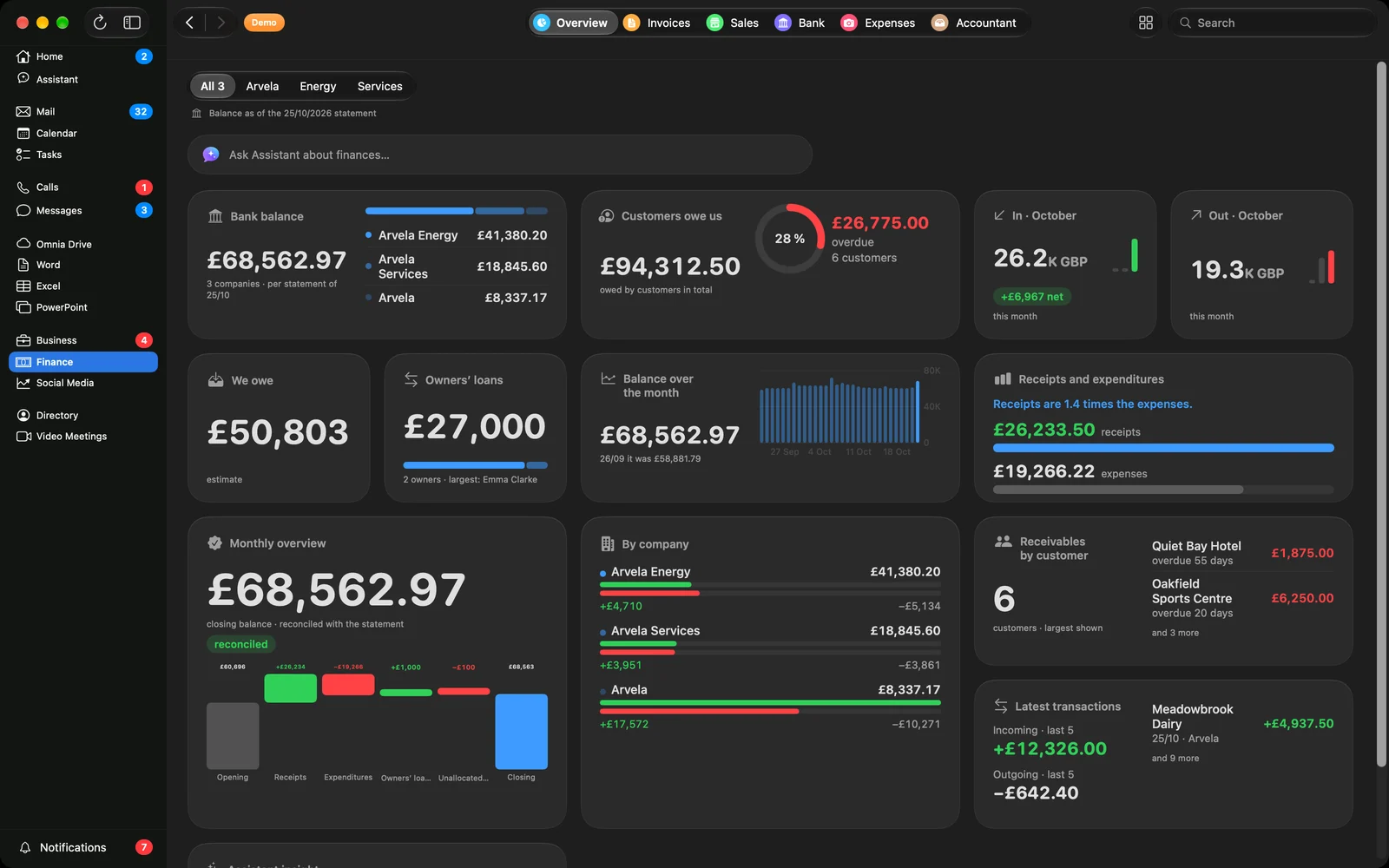
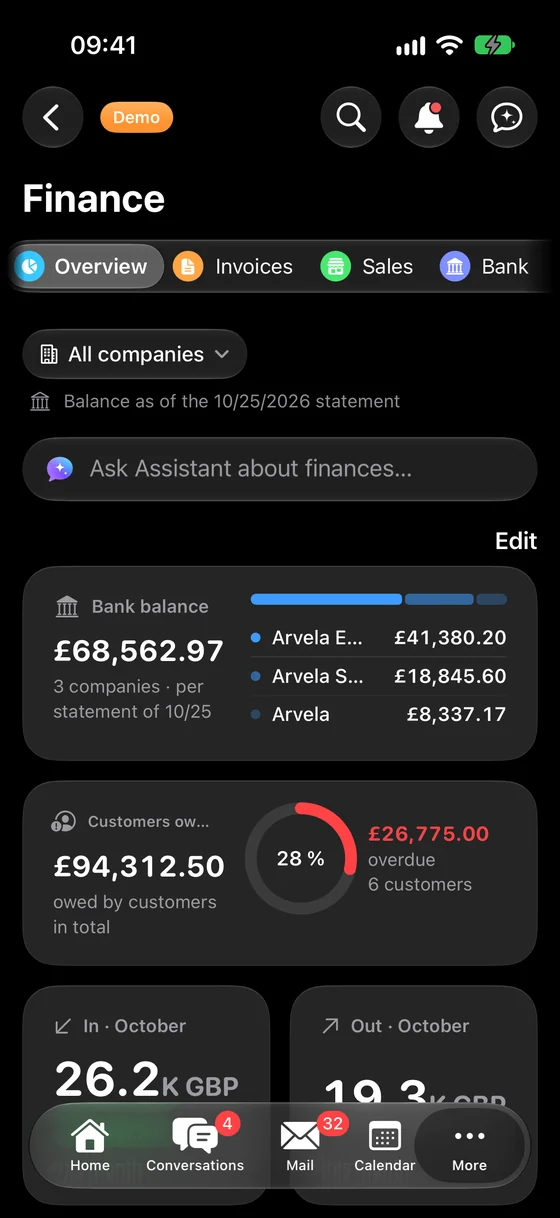
Account balances, outstanding receivables, and where money goes, presented clearly without spreadsheets. Your accountant receives everything in one place.
- Balances of all accounts and companies from bank statements, with receipts and expenditures by month.
- Overdue payments, showing who is late, by how many days, and for what amount, at a glance.
- Issued and received invoices, as well as e-invoices, and paper invoices can be photographed with a phone and recorded immediately.
- "Ask why": The Assistant explains every figure in plain language.
Social networks
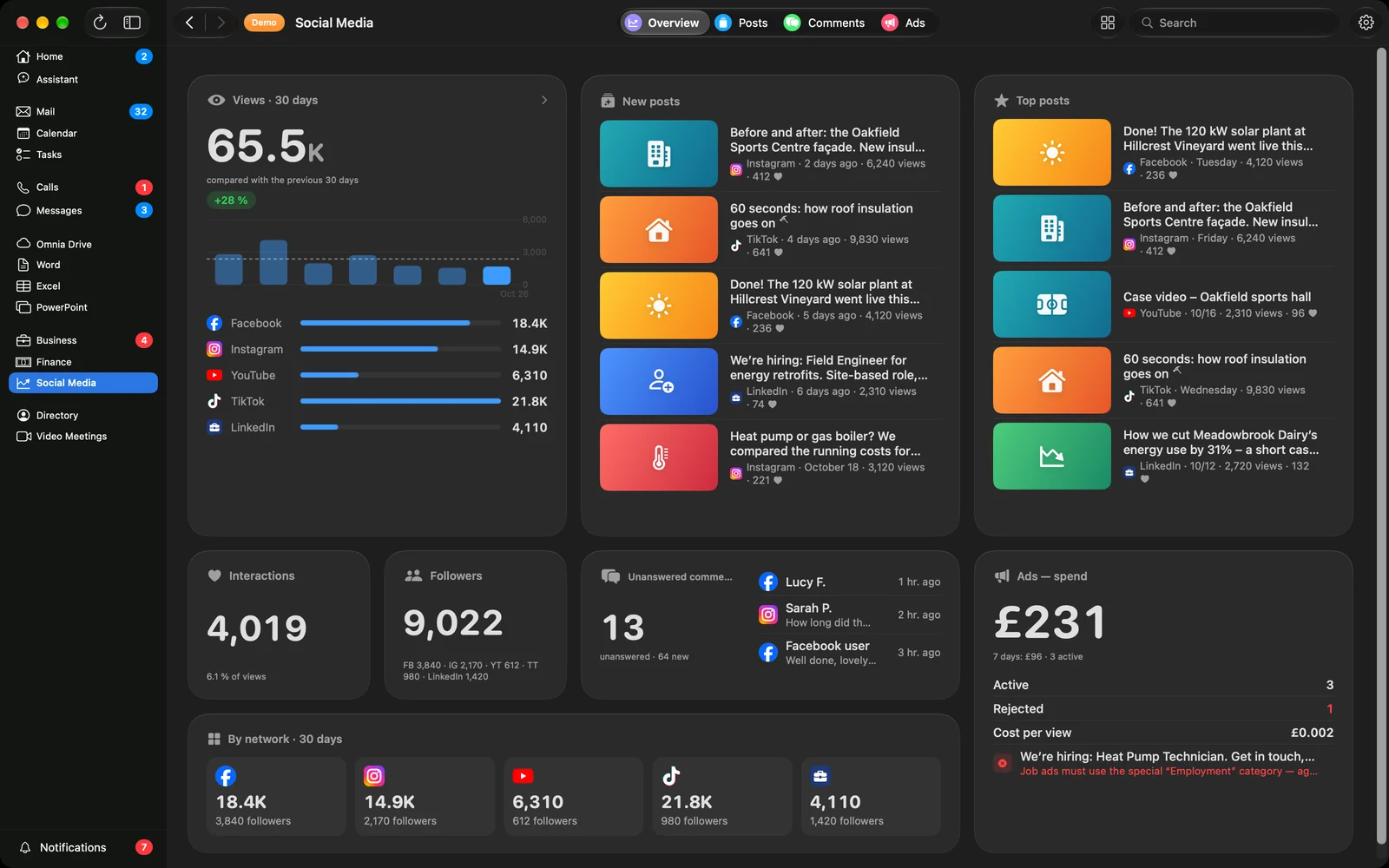
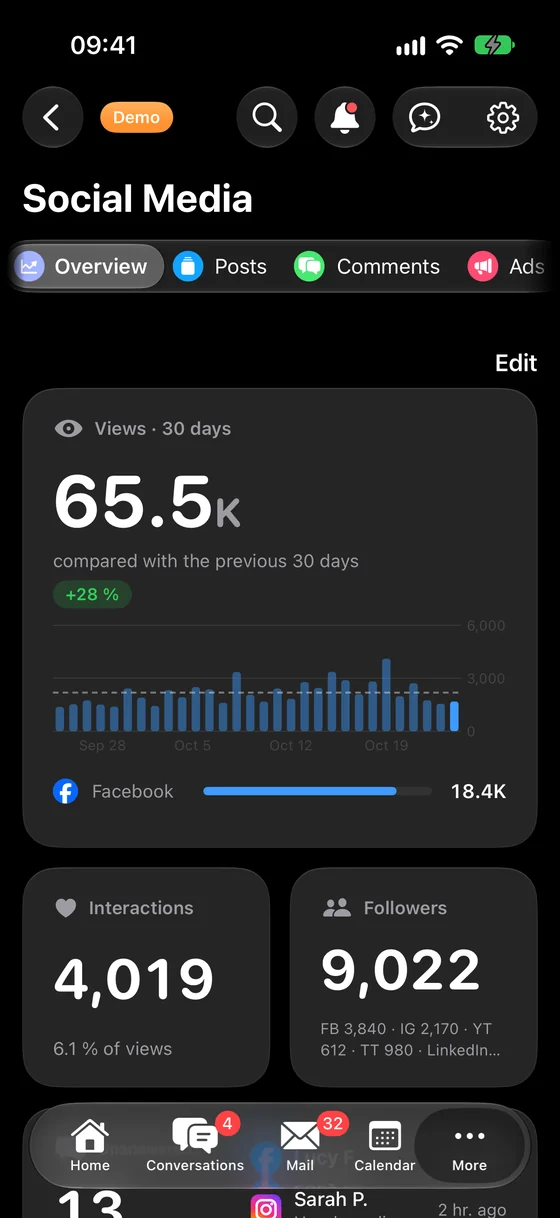
Facebook, Instagram, YouTube, and TikTok in one place: metrics, comments, and posts.
- Views, interactions, and followers across all networks together, featuring top and latest posts.
- Unanswered comments consolidated in one place, ensuring no client is left without a response.
- Ad spend and the performance of each post.
- Publishing and scheduling to all networks from a single application, always only after your approval.
You enter it. Approve it. Done.
Routine tasks in your business are handled automatically by Wefold: reminders, confirmations, sending documents and social posts. Without extra hiring. It only contacts you when a decision is required.
Automated reminders
Service staff do not need to call every client the day before an appointment. Reminders go out automatically, and you only see what needs attention.
One-tap approval
Clients or managers approve work by tapping a link in a message. Any comments are directed straight to the right person.
Social media posts
A photo of completed work is published to Facebook, Instagram and other channels at the scheduled time, only after you approve.
Ads with pre-set budgets
A post can automatically be boosted as a paid advert, using a budget, duration and target area you defined once.
Morning briefing
A concise message every morning: what is completed, what is delayed and what awaits your decision.
Bespoke workflows for your business
If a task repeats weekly in your business, such as sending standard documents, we automate it so it only prompts you when human input is required.
Nothing goes to clients or public view without your approval
Artificial intelligence can occasionally make mistakes, just like humans. That is why roles are clearly separated: the app prepares and reminds, while you approve everything that goes out to clients or into the public domain.
Wefold works on its own
- searches data and answers questions
- drafts messages, quotes and social posts
- reminds employees of upcoming deadlines
- synchronises calendars and calculates travel time
- alerts you whenever something gets stuck
Awaiting your confirmation
- every entry the assistant makes on your behalf
- anything sent to a client
- anything published publicly
- anything that incurs expenditure
- every new automated workflow: we test it first without sending anything to anyone, and you decide when it goes live
The assistant always introduces itself as artificial intelligence. Its name is Claude.
Connect networks. With a single click.
Connect Facebook, Instagram, YouTube, and TikTok once by logging in directly with the network itself. Passwords are never seen or stored by us. After that, posts, metrics, and comments from all networks are in one place.
Access is not shared
The network access key is stored encrypted on our server and is never passed to the application or the Assistant. Each company sees only its own accounts.
Disconnect with a single click
When you disconnect a network, we delete access immediately and revoke it with the network itself.
Advance notice before expiration
Networks occasionally require re-authentication. Wefold notifies the administrator in time, with a button to reconnect.
Networks are enabled one by one, as approved by Meta, Google, and TikTok.
What else we do for your business
The app is the foundation. Alongside it, we set up and manage everything else your business needs, so you do not have to worry about it.
Business email and documents
Email addresses matching your company domain, such as name@yourcompany.com, shared calendars and documents through Microsoft 365. We set up an account for each employee and protect your domain against spoofing and impersonation. The Microsoft subscription is paid directly at their standard rates.
Phone assistant for appointments
When you cannot take a call, the assistant answers and logs the appointment in your calendar. It clearly informs callers right away that they are speaking with an assistant, not a human.
Customer support on web and WhatsApp
Clients receive instant answers, including evenings and weekends, in the language they write in. Any question the assistant cannot resolve is handed over to a member of your team.
Meeting transcription and minutes
Meeting recordings or dictation are turned into clear text, complete with conclusions and agreed action points.
Client reports
Send professional reports on completed work and outcomes with a single tap.
Training and support
We train your team to use the app and remain by your side, with support.
Your company website
Included with the package, we build a modern website for your business that looks great on mobile, at no extra cost.
The same system, tailored to your business
Before implementation, we discuss how you operate and configure exactly what you need. A few examples:
Trades and field services
A plumber sees their daily stops in the morning and when to set off. The customer receives a reminder the day before, and completed job photos stay linked to their profile.
Salons and clinics
Hairdressers do not need to phone clients to remind them of appointments; reminders are sent automatically. The team knows the evening before what their day looks like.
Agencies and professional practices
A boutique agency sends quotes and tracks when the client opens them. Projects progress through stages, and clients approve with a single tap.
Hospitality and tourism
There is no spare time during peak season. Social posts publish on schedule with your sign-off, and guest enquiries are never left unanswered.
Retail and manufacturing
Clients and suppliers in one place, quotes that never slip through the cracks, invoices kept under control and a morning summary for the owner.
Non-profits, sports and culture
Event calendars, member communications and timely updates, without relying on a single person having to keep everything in their head.
You do not just receive software, but a business system set up for you
We configure everything, step by step, and stay by your side. All we need from you is an initial conversation and your approval at key milestones.
What happens to your data
We do not claim that anything is "completely secure". We explain exactly how it works.
Sign-in with your business account
You sign in with the same Microsoft business account you use for work email. There is no new password to remember. If your company does not have Microsoft 365 yet, we set it up during implementation.
Everyone sees only what they need
We define permissions for each employee. Sales staff see quotes, while field technicians see their own schedule.
Confirmation before saving
The assistant never enters data without your confirmation. An audit trail records everything it does.
Your data remains yours
We work alongside your Microsoft 365, keeping emails and documents on your own tenant. Before we begin, you receive a full list of third-party data processors, and data processing terms are agreed in writing.
Clear when talking to an AI
The assistant informs anyone it communicates with that it is artificial intelligence, in both text and voice.
Every change can be restored
We create a backup before every change. Every new automated workflow is independently verified before going live.
One flat price per business, no surprises
You do not pay us per employee or per prompt to the assistant. Artificial intelligence is included in the monthly fee. If we set up Microsoft 365 for you, that subscription is paid directly to Microsoft, per employee and at their standard pricing.
Bespoke implementation
Paid once. Covers workflow mapping, data migration, setup, testing and team training. You know the exact cost in writing in advance.
Monthly fee per business
The app on all devices, an assistant for each employee, maintenance, updates as your business evolves, and support.
Your company website
We build a website for your business with the package at no extra cost. Modern, fast and looking just as good on desktop as on mobile.
Common questions
Will artificial intelligence make mistakes?
Yes, occasionally, just like a person. That is why anything sent to clients, published publicly or involving expenditure requires your approval, and the assistant asks for confirmation before entering any record. The app prepares, you decide.
Our business is unique. Will this suit us?
That is why we implement bespoke solutions. First we document how you work, and then we tailor stages, reminders and workflows around your specific process.
Do we have to give up software we already use?
No. Wefold works alongside Microsoft 365, Microsoft's suite for email, calendar and documents that many businesses already use. Integration with other software is agreed on a case-by-case basis, and we tell you what is possible up front.
Do we need to have Microsoft 365 already?
No. If you do not have it, we set it up during implementation, complete with custom email addresses for your business. The Microsoft subscription is paid directly to Microsoft, per employee at their standard rates.
Does Wefold replace our invoicing software?
It can. Wefold issues standard and electronic invoices, tracks who has paid, reminds you of payment deadlines and manages expenses, while your accountant receives everything they need in one place. If you prefer to keep your existing invoicing software, Wefold imports an overview from it.
What happens to our data?
You sign in with your corporate account, each employee sees only what they are authorised to view, and you receive a full list of data processing providers before we start. Data processing terms are agreed in writing before connecting any systems.
We have no one to manage this.
You do not need anyone. We handle the setup, staff training and maintenance. You interact with the assistant just as you would with a colleague, making the learning curve very short.
Is the assistant a human?
No. The assistant is artificial intelligence, named Claude, and always introduces itself as such. It is instructed to state clearly whenever it does not know something.
Which devices does it run on?
On iPhone, iPad, Mac and Apple Watch, on Android phones, and on Windows PCs. What you enter on one device appears immediately across all of them.
How much does it cost?
Implementation is a one-off fee based on your business requirements, followed by a single monthly rate per business, not per employee. You receive the exact quotation in writing following our meeting, before any work begins.
Get in touch. We will call you.
We start with a brief telephone call and arrange the meeting during that conversation. No obligation.
- CallWe call you at a convenient time to learn about your business.
- MeetingWe schedule a meeting, in person or by video call.
- ProposalYou see the app configured for your type of business and receive a fixed-price proposal.